



Handpicked deals, direct to your inbox
Subscribe to the Finder Shopping newsletter for the latest shopping and travel deals
Error placeholder Click here to sign in
Finder's team of experts has tested and reviewed every phone on this list. For each phone, we consider the design, cameras, performance, battery life and overall value for money.
Our editorial team selected the phones on this list based on their overall quality and value compared to other phones on the market. All phones featured on this list have a street price under $500. We also considered older flagship models that have been heavily discounted since launch.
Read more detail on our methodology below.
Motorola Moto G54 5G
Best budget phone overall



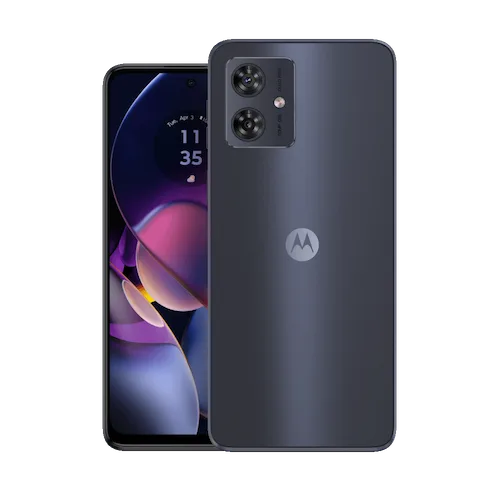
Image: Supplied/Finder
Pros
- 5G connectivity
- Excellent battery life
- Attractive design
Cons
- Middling performance
- Charging isn't super fast
- Camera could be better
Buy now
Every budget phone involves compromises at some level, because when you start with a lower price point, you simply cannot have it all. However what we've seen in recent years are a crop of phones that provide genuinely good value and decent – but perhaps not world-beating – performance along the way. That sums up the Motorola Moto G54 5G nicely, because it ticks most of the boxes that most users will want, from 5G connectivity to a fast refresh rate screen, excellent battery life and moderate performance.
Are there compromises in that mix? Yeah, the RAM could be higher and the screen resolution could be sharper too. While the camera improves upon the Moto G53 5G, it's still not going to wow anybody especially when it comes to macro photography. With that said, the macro lenses on just about every budget phone are in the same boat, so you're not really losing out at this price point.
Motorola Moto G32
Best budget phone for gamers



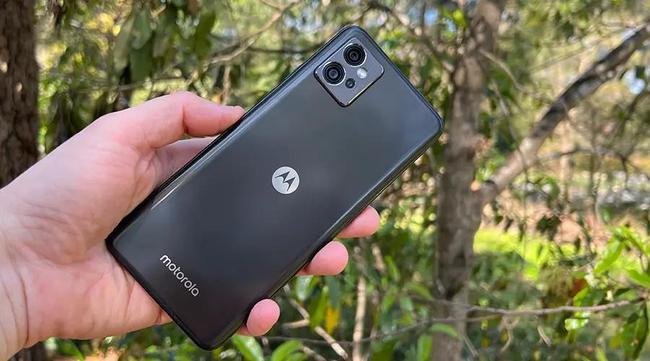
Image: Alex Kidman/Finder
Finder Score:
Pros
- 90Hz display
- Headphone jack good for gaming headphones
- Fair performance for its price
Cons
- 4GB RAM won’t work with very high-end games (but what do you expect?)
- Plain design
- Cameras aren’t great
Buy now
Gaming phones are typically amongst the most expensive phones you can buy, and for good reason; the higher-end specifications that higher-end gaming requires cost serious money. So picking the best “budget” gaming phone really does require some thought, because you’ve got to work out getting the best essential features for the least amount of money, while accepting that you’re never going to get high end gaming performance at these price points.
Enter the Motorola Moto G32, a generally capable, generally affordable phone. It scores well with us as a good all-round gaming phone due to the inclusion of a 90Hz-capable display, good speakers and a headphone socket – so you can go with standard gaming headphones to enhance your game time – to mark it out from the rest of the budget pack. You’re not getting a fancy body, and the RAM allocation isn’t high, but that’s true for many phones in this price bracket.
Read our full Motorola Moto G32 review
Samsung Galaxy A15 5G
Best budget Samsung phone

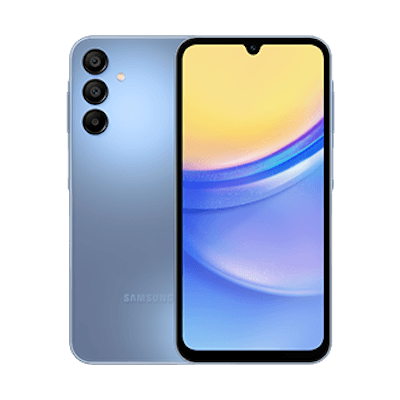
Image: Supplied/Finder
Pros
- Excellent display for the price
- NFC-ready
Cons
- Not the fastest
- Camera could be better
Buy now
Samsung is one of Australia's most beloved smartphone brands, but when you talk Samsung phones, many people assume you're only looking at the company's flagship Galaxy S or Galaxy Fold/Flip variants. If you want to talk budget spaces, that's the Galaxy A series, though not all of them are readily available for under $500.
The Galaxy A15 5G certainly meets that brief, and while we've not been able to extensively test one in-house, reputable online reviewers note that it's a standout for its large display with support for up to 90Hz refresh rates, as well as Samsung's promise of two years of software updates; a rarity in the budget space where so often the phone you buy is stuck on the Android version you get it with. It's also NFC-ready, so it's good for contactless payments through Samsung Pay at participating outlets.
On the minus side, external reviewers noted that it's not particularly quick, and while it boasts a 50MP primary sensor, photo quality was only ordinary, as was the audio you could get from its solitary speaker.
Google Pixel 6a 5G
Best budget camera phone


Image: Alex Kidman/Finder
Finder Score:
Pros
- Tensor is nicely powerful
- Clean Android with fast updates
- Good camera, especially in low light
- Good battery life
Cons
- Only a 60Hz display
- Lacks wireless charging
- Plain design
Buy now
The one area where nearly every budget phone tends to cut corners is in the camera. That’s especially noticeable at the cheaper end of the scale, where sub-$200 phones still often have cameras that are bad even in good light, but even the slightly more pricey models still struggle under anything but near-perfect conditions.
So the trick to buying a good budget camera phone lies in picking up an older premium or near-premium model that’s now more commonly available in the sub $500 space. That way you benefit from its camera prowess without being hit by it heftier price point, which has to be a win.
For our money, the pick in this range has to be the Google Pixel 6a 5G. Yes, that’s an older model, and if you want Google’s current mid-range a series Pixel it’s the Pixel 8a, but that’s not within this price bracket. It’s not hard to find older stock or refurbished stock of the Pixel 6a 5G, which features some of the best low-light photographic capabilities in its class. You also get Google’s cleaner Android UI, with guaranteed OS and security updates through to 2025 and 2027, respectively. Given many budget phones don’t even offer one Android update, that’s a pretty good deal.
Nokia 8.3 5G
Best budget phone for battery life

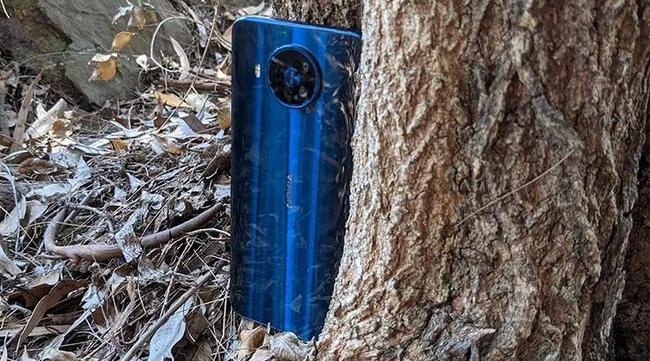
Image: Alex Kidman/Finder
Finder Score:
Pros
- Superb battery life
- Clean Android UI
- 5G capable
Cons
- Mediocre cameras
- Side fingerprint sensor is fiddly
- Older model
Buy now
Battery life is another area where budget phones can sometimes be a bit lacking, and that’s super frustrating. Any phone at any price without a decent battery is just a brick, and just because you’re paying less doesn’t mean you should have to put up with having a brick in your pocket at any time at all.
Here we have a clear winner in the value and battery life stakes, based on our own testing of hundreds of phones over the years. Very few phones manage above 95% retained in our one hour YouTube test, and even fewer make it to the higher nineties. The Nokia 8.3 5G only sipped away a single percentage point in that test, showing just how good it was at preserving its battery life in the long term.
When it launched, it sat very much in the high mid-range space, but the benefit of older Android is that they do drop in price over time. It’s not that hard to find a Nokia 8.3 5G in decent condition refurbished for a very appealing price point – and with it, the Nokia 8.3’s exceptional battery life. While in the mid-range its cameras felt ordinary to us when we were first reviewing them, at the prices the Nokia 8.3 goes for now, it’s actually pretty decent, though we still don’t like its side-mounted fingerprint sensor.
Nokia G22
Best budget phone for students

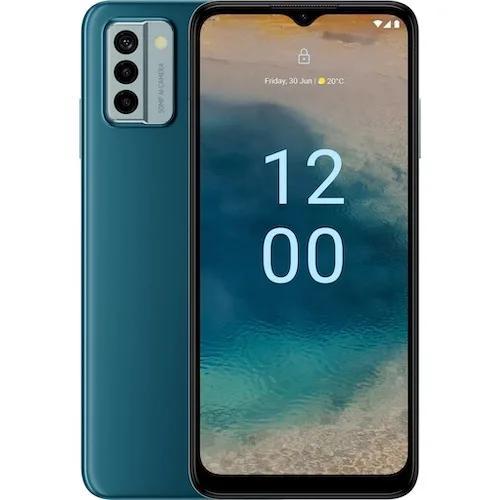
Image: Supplied/Finder
Pros
- Repairable
- Good Battery Life
- Protective case included
Cons
- Repairability has its risks
- Cameras aren’t great
- Middling performance
Buy now
Student life is a life on the go, and that's often not kind to smartphones that can be bounced from a jeans pocket to a backpack to a classroom and back again on a daily basis. That's why we've chosen the Nokia G22 as the best pick for students, primarily because HMD Global/Nokia actively promotes the fact that it's repairable. If your high schooler shatters the screen on a basketball court, you can not only buy a replacement screen, but you'll also be pointed to repair guides authored by iFixit to manage the screen replacement yourself. That's environmentally kind, but also points to a phone that you could keep for the longer term.
There are some counter balances to take into consideration however. Repair isn't without risk, and you do need to be careful when chaning out phone parts. While it's great that you can repair it, the actual phone itself is on the lower-power side for a phone at this price in processor terms, and the cameras are also less compelling than competing models.
Aspera AS5
Best budget phone for kids

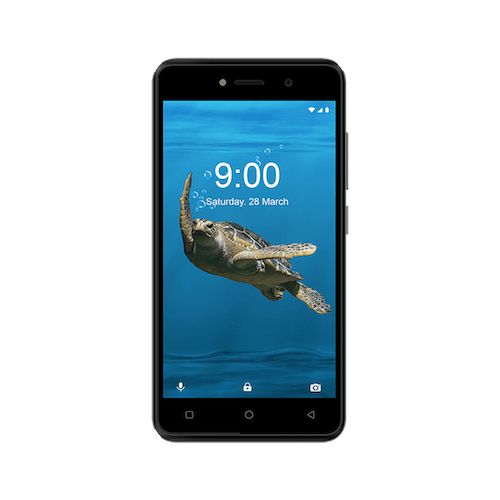
Image: Supplied/Finder
Pros
- It’s really, really inexpensive
- Removable battery
- Android Go might limit the amount of game time they try to have on it
Cons
- It’s very slow
- Battery life isn’t good
- Still using microUSB for charging
Buy now
Kids can be truly brutal with smartphones, and that's never good, especially if you have to keep on paying for repairs for pricey models. That's where much simpler, more affordable fare can shine. That's precisely what the Aspera AS5 is, because it's an essentials-only Android Go phone that'll run you just $99 complete. We're not advocating for destroying phones willy-nilly to be sure, but if your child loses, drops or shatters technology on a regular basis, it's going to be kinder to your hip pocket nerve to pay less for it than you can for screen replacements on many other phones.
That being said, this is a very basic, quite slow phone with a small battery, though again some parents might find that pared-down approach preferable if they also want to limit their children's screen time. You'll also have to keep its charger handy, because while nearly everything else has shifted to USB-C for charging, the Aspera AS5 is still just a micro-USB model.
Motorola Moto G53 5G
Best budget 5G phone

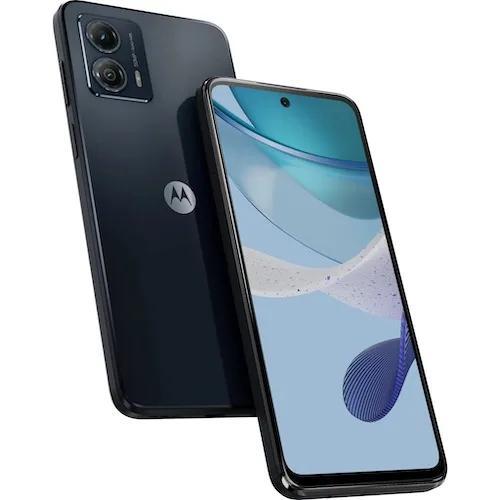
Image: Supplied/Finder
Pros
- 5G capable
- 120Hz display
- Primary camera works well
Cons
- Fast screen, but not high resolution
- Only 4GB RAM
- Macro lens shoots poorly
Buy now
Back when 5G launched in Australia, it was only available on the most expensive phones you could buy. 5G network coverage is now extensive across Australia's population centres, and there's a wide range of much more affordable 5G devices to pick from.
Motorola's Moto G53 5G brings 5G to the budget space, as its name suggests, but faster network access isn't its only trick. You also get a fast refresh rate screen at up to 120Hz, making it a good choice for both gaming and scrolling web pages, though it's not the highest resolution panel. Battery life is decent, and the main camera on the phone shoots quite well within the budget space.
On the minus side, the secondary macro lens is ordinary – this is pretty common in cheaper phones with macro lenses across the board – and with only 4GB of RAM onboard it's not superb if you do need to multi-task or want to run more complex apps.
Nokia 2660 Flip
Best budget keypad phone

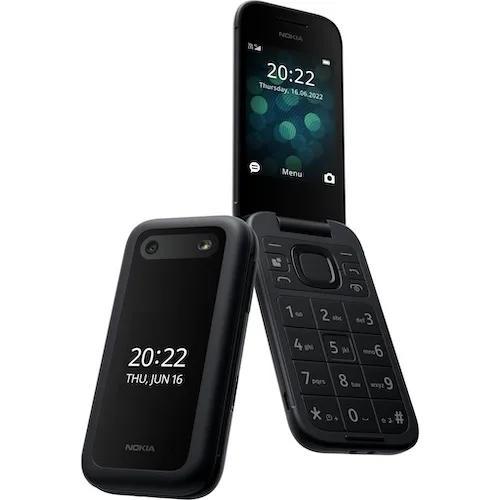
Image: Supplied/Finder
Pros
- Good if you only want calls and texts
- Removable battery
- It plays Snake!
Cons
- Cheap plastic construction
- Camera is awful
- No Wi-Fi
Buy now
There's still a market, especially in the budget space for a no-frills, classic style feature phone. That's almost exactly what the Nokia 2660 Flip is, coming as it does in that classic Nokia flip style without the serious price point of, say, a Galaxy Z Flip phone. If what you want is a simple device mostly for calls and texts, then the Nokia 2660 Flip will fit the bill nicely. Before you ask, yes, it plays Snake, and it also features a removeable and replaceable battery as well.
As a simple phone – or one for a digital detox – it fits the bill well, but there are rough edges. The camera – singular – boasts a 0.3MP sensor, and while megapixel numbers aren't everything, the very low number there is a clue that the 2660 Flip's camera isn't really suitable for much of anything. It's a simply built plastic phone, so not that robust either, and it's 100% lacking in WiFi. That does keep the battery going a good long time, but it means that any other data function has to run through your SIM's mobile plan only, and forever.
Samsung Galaxy S22
Best previous-gen phone

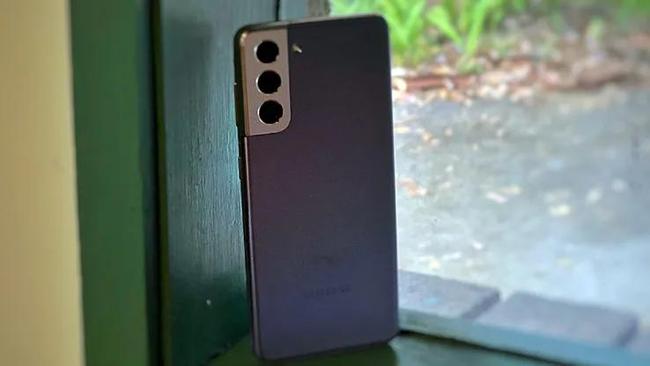
Image: Tegan Jones/Finder
Finder Score:
Pros
- Excellent camera, especially for a baseline model
- Lovely small size
- Doesn’t compromise on power despite being smaller
- Great display
Cons
- Battery life isn’t the best
- Incremental upgrade over the S21
Buy now
While flagship phone prices do tumble down over time, waiting for them to fall into the sub-$500 category on a regular basis can be quite the challenging affair. There’s really nothing in the Apple space that falls that quickly, so we turn to Samsung’s Android offerings to find bargains instead. Galaxy S23 phones aren’t commonly found under $500 (unless you go second hand), but there are bargains out there for the S22 generation, especially for the base model phone.
For under $500, that’s going to score you a phone that’s still quite quick for budget standards, with solid camera optics and a really good design to boot. Yes, it’s a little older, and the fixed storage is a pain point. However when you consider that it’s now less than half what it was when it was new, if you can find a Galaxy S22 for under $500 in good condition (either new in box or reliably refurbished) we reckon it’s a bit of a bargain.
Motorola Moto e13
Best budget phone on Telstra

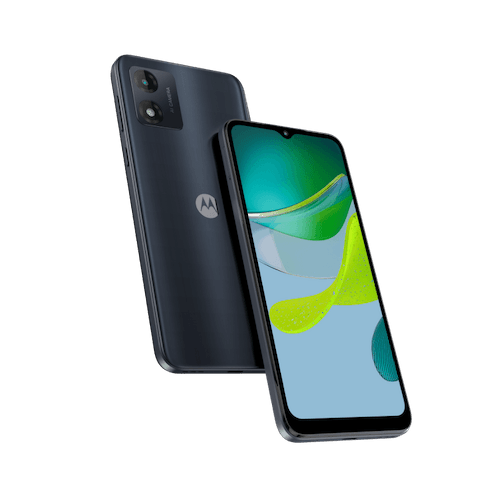
Image: Supplied/Finder
Pros
- Inexpensive
- Clean Android GO UI
- Headphone jack
Cons
- Camera is really slow to start
- Average battery life
- No biometric security
Buy now
Telstra's budget phone range encompasses a fairly wide variety of models, but Motorola's Moto e13 stands out for a few reasons. Firstly, it's only $149, nicely affordable for a phone with a 6.5 inch display. It's a lower power model as you might expect at this kind of price point, but Motorola makes the most of it with the use of Android Go, the cut-down Android experience specifically for lower-spec devices like the Moto e13. You do at least get a headphone jack for your wired headphones, and for the model sold through Telstra you should also get a power charger in the box, though this isn't standard for the retail models for some reason.
There are compromises in play; when we tested the Motorola Moto e13 we noted that its camera was both ordinary and very slow to start up. Battery life, despite a 5,000mAh battery was only average, and you're also stuck with a simple PIN or passcode for secure unlocking, with no fingerprint sensor at all.
Save on phones with these deals and discounts:
Methodology


- We've spent thousands of hours testing and reviewing mobile phones.
- Our editorial team has a combined 60+ years of experience writing about tech and reviewing the latest devices.
- The phones on this list are chosen by our editorial team and are not based on commercial relationships.
Why you can trust our picks
For this round-up, we narrowed down all the phones we've tested to those that retail at the time of writing for less than $400. That's typically a reflection of their general RRP, but when you're shopping for a budget phone, bargains are also worth considering.
Next, we considered the design, performance, camera, battery life and overall value for money for each phone. We used a range of benchmarks and real-world tests to evaluate how the phone's performance and battery life compared to other available phones.
What to consider when buying a cheap phone
- Which features do you really need? Budget phones are all about compromises, but different models make different compromises. For example, you might find a larger screen more important than a varied camera array or a bigger battery more vital than a somewhat faster processor. Weigh up the pros and cons of each model carefully because you can't "upgrade" a mobile phone without replacing it.
- Do I need this phone for now or for the long term? Budget phones are priced lower for a reason, but there can be quite a bit of variance in the quality of cameras, batteries, screens and processors. If you're buying a cheap phone simply to see you through a brief period – a burner phone, we won't judge – then your needs will be different to those buying a phone that they need to last for a longer term.
- How up to date is my phone? A lot of budget phones don't see regular Android updates all that quickly – or in some cases at all. That doesn't mean your phone will simply stop working, but if you're buying a phone with an operating system version that's more than 2 years out of date, you may hit issues with some apps loading or working properly down the track if they can't meet minimum security and software requirements.
- Can I get cases or other accessories? Not surprisingly, the range of accessories specifically for cheap phones isn't as wide as it is for fancy flagship models. For many cases, you may have to order online to wait for a case or screen protector.
- What kind of warranty do I get? Just because it's cheap doesn't mean it won't be covered by Australian consumer law, but it's worth knowing if you're going to have hassles if something beyond your control goes wrong with your new budget phone.
Read more: 5 cheap phones like the Samsung Galaxy S22
Frequently Asked Questions:
What is a good price for a budget phone?
Short answer: As cheap as you can get it.
Long answer: We generally define a "budget" phone as sitting in the sub-$500 space, either as its RRP or after a period of time as an expected price point for actual consumers to buy at. Over time the cost of a "new" phone – especially for Android phones – tends to drop, so it's not unusual to see phones that were more in the mid-range $500-$1000 price space appear in the budget market.
How do I know if my phone is 4G or 5G?
The best way to check for sure is to search up the model and look specifically at the vendor's local web site. Bear in mind that some international models may ship as 5G-capable handsets, but that's not always the case for locally provided versions. Some phones do make it rather easy with "5G" in the name, however – that's a dead giveaway.
Is there a mobile phone that just makes calls and texts?
There are choices for calling-and-texting focused mobile phones, though most of those fit more within the feature phone space than the smartphone one. Nokia has a wide range of throwback models that use classic form factors such as the 2660 Flip that are mostly just call-and-text devices, though they often have a few other functions on board as well.
There is another approach you could take with an Android phone if all you ever wanted was calls and texts. Android lets you remove or at least hide most onscreen icons, so you could set up an Android phone so that it appeared to only offer calls and texts, if that's all you ever wanted to look at.
Latest Finder reviews
27 Feb 2026
|
Nick Broughall
13 Nov 2024
|
Chris Jager
11 Oct 2024
|
Frank Duignan
02 Nov 2022
|
Alice Clarke
01 Nov 2022
|
Alice Clarke
Why you can trust Finder Shopping best guides


We're knowledgeable


We're comprehensive