






Handpicked deals, direct to your inbox
Subscribe to the Finder Shopping newsletter for the latest shopping and travel deals
Error placeholder Click here to sign in
The smart lighting space in Australia is dominated by just a few brands selling relatively high-cost lighting equipment. While I'm personally a big fan of Phillips Hue bulbs and their near-endless variety, I won't pretend that I'm a fan in any way of the asking price for each individual bulb.
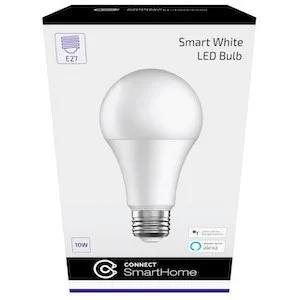
That's the market that Laser is targeting with its Connect SmartHome bulbs, which promise all the goodness of smart voice or app-activated lights at a fraction of the market price. Whether you need a B22 Bayonet type bulb, an E27 Edison Screw Type bulb or a smaller E14 screw type bulb, every single one will only set you back $10. There's no central hub to pay for either, further adding to the value equation.
However, there's one absolutely massive catch to the Laser Connect SmartHome bulb experience that significantly cuts into that value equation and could make them a total disaster for some Australians.
Design
Design
- Very standard looking bulbs
- Installation process could be fatal for epileptics

Read more about the Laser Connect SmartHome bulb's design
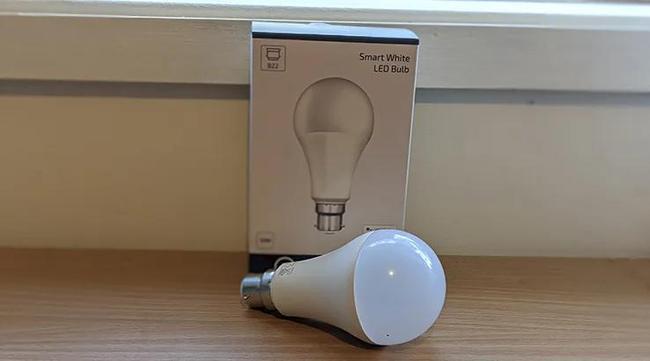
There's really not much to the Laser Connect SmartHome bulb beyond its innate bulb-i-ness. It's more or less a round object that glows, at least once you've got it installed.
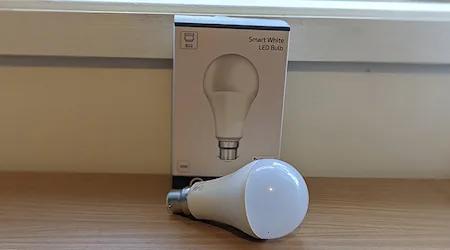
I tested a set of B22 bulbs because that's what I've got installed in my home, but you can also get the common E27 and E14 sized sockets if that's what you need.
Unlike some competing smart light bulbs, you don't need to invest in a central smart hub to control the Laser Connect SmartHome bulbs. Each one works on 2.4Ghz Wi-Fi on an individual basis, but in order to get them working beyond their capacity as simple on-off globes, you'll need to get them connected to your home Wi-Fi network.
This is where the Laser Connect SmartHome bulbs have their single biggest problem. Some bright spark at Laser decided that the way that these bulbs would indicate pairing availability would be a blinking light. That's not unreasonable on, say, a set of Bluetooth headphones where the blinking light is tiny and blue.
The Laser Connect SmartHome bulbs don't have a tiny blue blinking light. Instead, when you first switch them on, the entire globe flashes at a rate of around 3 times per second, which sounds like a free rave environment, unless you're epileptic or susceptible to fast flashing light patterns.
I'm not epileptic, but I do find fast flashing lights problematic from time to time, and this was entirely true of the Laser Connect SmartHome bulbs. Ideally, you should only have to let them flash for around 30 seconds while the Laser Connect SmartHome app finds them, but if they don't at first work you could be faced with several minutes of rapidly flashing lights.
This is massively problematic for those with more severe light reactions than mine. I gritted my teeth and held back the quite literal desire to vomit, but I was struck the entire time by the fact that this install process could be genuinely harmful for folks with epilepsy. Do NOT buy these if that describes you.
Over some 20+ years of tech product reviewing, I've hit a few products that I've disliked for a variety of reasons, but few where I've hated the set-up process quite as much as I did with the Laser Connect SmartHome bulbs. For one of my sockets, where two bulbs are controlled by a single switch, I had to lie down between each bulb installation to stop my head spinning and keep my lunch down. That might sound like hyperbole, but I assure you it isn't.
To make matters worse – yeah, I'm not done yet – if you do need to reset a bulb for any reason, the way you do that is by flicking the bulb on and off numerous times. More flashing lights. You'll also hit this problem if, for any reason, the bulb resets itself, because the default if it loses connectivity is – you guessed it – even more flashing light mayhem.
I can entirely accept that lower-cost smart bulbs will come with limitations relative to their premium-priced counterparts, but the flickering light pairing of the Laser Connect SmartHome bulbs is truly awful.
Performance
Performance
- Decent all-round illumination
- Works with Google and Alexa
- Mediocre dimming

Read more about the Laser Connect SmartHome bulb's performance
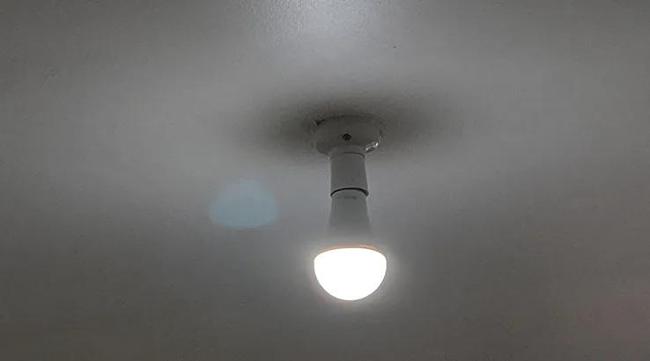
It's a genuine pity that the installation process for the Laser Connect SmartHome bulbs is so awful, because once you get past that, the lights that you get are fairly good for the money. Laser hasn't invented its own IoT platform for its smart home products, instead relying on the Tuya Smart Platform, which means, in theory, that any Tuya compatible app could control the Laser lights. Laser does provide its own app, which is what I tested out, and it's fine if a little rudimentary, with options for switching lights on and off, varying the colour temperature and dimming within the app itself.
One catch here is that the range of dimming isn't quite as substantial as you might expect, and it's pretty easy to see the "steps" in brightness as you move the dial down. Again, you're getting what you pay for here, because these are simple smart bulbs sold at a low price. The flipside of the diminished dimming ability is that, at a max of 1,000 lumens, the bulbs can get very bright indeed.
The Laser Connect SmartHome bulbs are also both Google Home and Alexa compatible, and integrating them within an existing system is no more difficult than any other IoT device I've tested. In my case, I tested the bulbs with an existing Google Home set-up.
The only issue I found was that when I switched around and updated the configurations, Google consistently indicated a problem in connecting to the bulbs to take on new room or name assignments.
What was truly odd here was that it correctly picked up the new names and roles after it had done so, but it always said that it couldn't. It's hard to say whether that's the fault of Laser/Tuya or Google, but at least everything eventually worked as expected.
Because there's no central hub, the Laser Connect SmartHome bulbs rely entirely on 2.4Ghz Wi-Fi. This could be problematic in more congested network areas or if your home Wi-Fi has trouble reaching where you want to place a Laser Connect SmartHome bulb, although you may be able to sidestep this issue with an extender or Mesh network solution.
Should you buy the Laser Connect SmartHome Smart White LED Bulb?
- Buy it if you want a simple smart home bulb.
- Don't buy it if you're in ANY way sensitive to flickering lights.
The Laser Connect SmartHome bulbs are surprisingly good for the money once you have them installed, and especially so if you're already equipped with a Google Assistant or Alexa-enabled smart speaker for control. They're not as nuanced as some competing smart lighting platforms, but they are much less expensive.
However, there's absolutely NO way you should buy them if you've got a sensitivity to flashing lights, because installing them could lead you to actual harm. It's easily the worst part of the Laser Connect SmartHome bulbs by far.
Pricing and availability
Price
Where to buy
Specifications
Build
More Finder reviews
27 Feb 2026
|
Nick Broughall
13 Nov 2024
|
Chris Jager
11 Oct 2024
|
Frank Duignan
02 Nov 2022
|
Alice Clarke
01 Nov 2022
|
Alice Clarke